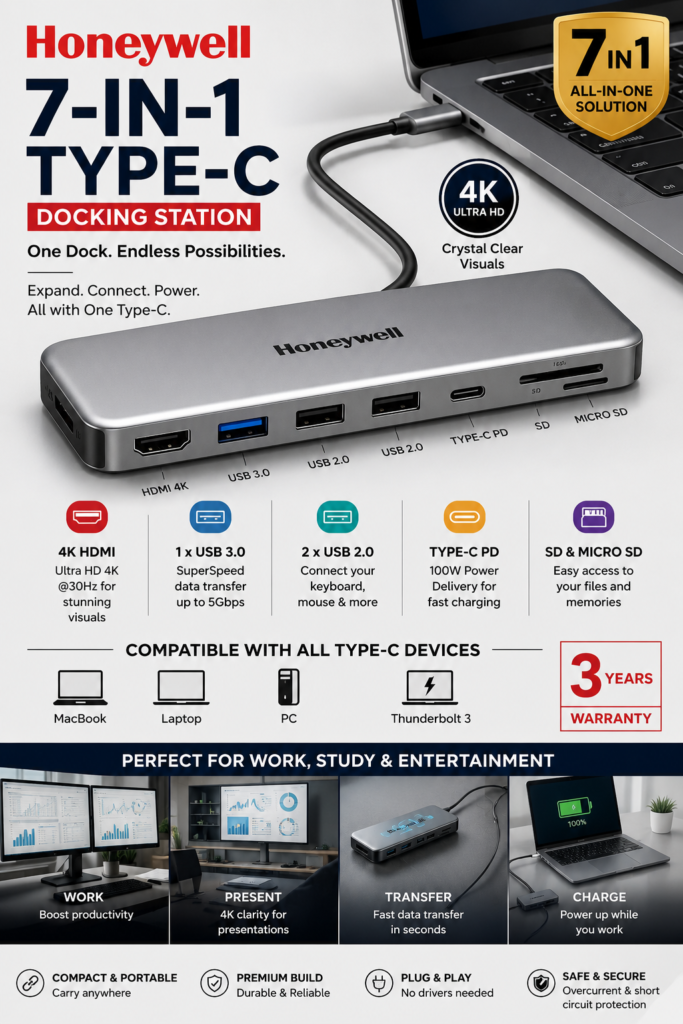
Honeywell 7-in-1 TypeC Docking Station with 4K HDMI,1xUSB 3.0, 2xUSB 2.0 & TypeC 3.0 PD 100W Charging Port, SD & Micro SD Slot,for All Type C Devices- MacBook,Laptop, Thunderbolt 3,PC,3 Years Warranty
Expand your workspace with the Honeywell 7-in-1 Type-C Docking Station, featuring 4K HDMI, 100W PD charging, USB ports, and SD card support for seamless connectivity.
Honeywell 7-in-1 Type-C Docking Station Review: A Solid Everyday Companion for Multi-Device Setups
If you’ve ever felt frustrated juggling multiple cables and adapters just to connect your laptop to a monitor, a pen drive, and an SD card at the same time, this Honeywell docking station solves that headache pretty neatly. It’s one of those small accessories that quietly makes your desk setup a lot more efficient once you actually start using it.
Right out of the box, the build feels reassuringly sturdy — no cheap, hollow plastic vibe that some budget docking stations tend to have. It’s compact enough to toss into a laptop bag without adding much bulk, which is a big plus if you’re someone who works from cafés, co-working spaces, or just moves between rooms a lot.
The 7-in-1 design is where this dock really shines. You get a 4K HDMI port for hooking up an external monitor or TV, a USB 3.0 port for faster data transfers, two USB 2.0 ports for your everyday peripherals like a mouse or keyboard, an SD and Micro SD card slot for quick photo transfers, and a Type-C PD port that supports up to 100W charging. That last part deserves special mention — being able to charge your laptop through the same dock while it’s connected to everything else is genuinely convenient. No more switching cables back and forth.
In daily use, the HDMI output handles 4K resolution smoothly, and I didn’t notice any lag or flickering when streaming or working on external displays. The USB ports feel snappy too — transferring large files off external drives doesn’t feel like a wait-and-watch process anymore. The SD card slots are a nice touch if you’re into photography or regularly move files from a camera, saving you from carrying a separate card reader.
Compatibility-wise, it works well with MacBooks, Windows laptops, and other Type-C or Thunderbolt 3 devices, so it’s a fairly universal accessory rather than something locked into one ecosystem. That’s reassuring if you switch between devices or share it with someone else at home.
One thing worth noting: like most compact docks, it can get slightly warm during extended heavy use — say, running a 4K display and transferring large files simultaneously — but nothing alarming or that affects performance. Also, if you’re someone who needs Ethernet or multiple HDMI outputs, this isn’t built for that; it sticks to the essentials rather than trying to be an all-in-one powerhouse.
The 3-year warranty is a strong confidence booster too. It shows Honeywell is backing the product for the long haul, which matters when you’re investing in an accessory that’ll likely see daily use.
Overall Rating: 4.5/5 ⭐
For anyone needing a reliable, no-fuss docking solution that covers charging, display, storage, and data transfer in one compact unit, this Honeywell dock delivers solid value. It’s not trying to be flashy — it just does its job well, consistently, and that’s exactly what most people actually need from an accessory like this.