
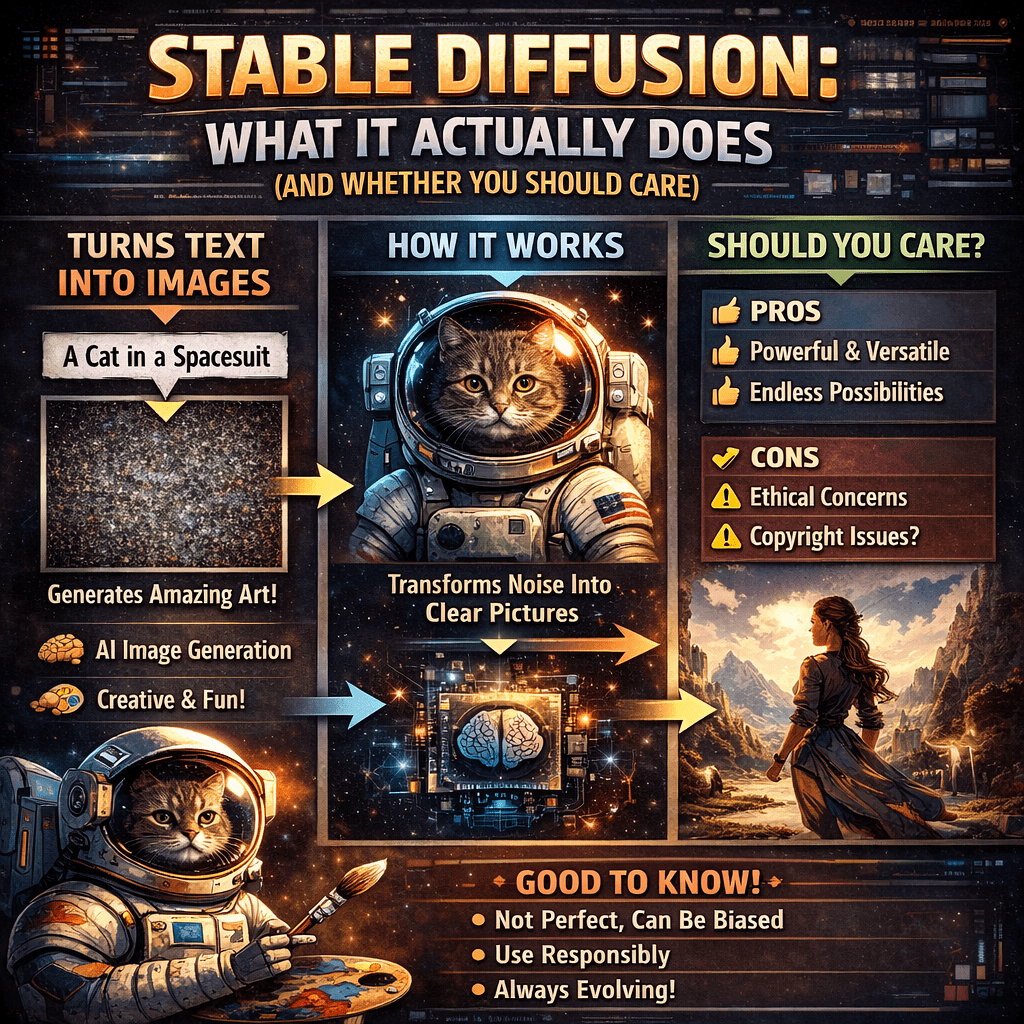
Stable Diffusion: What It Actually Does
https://stability.ai/dreamstudio
Look, I’ve spent enough time with Stable Diffusion to know it’s not quite what most people think it is. Here’s the real deal: it’s an AI that takes whatever you type—say, “a cozy coffee shop on a rainy evening, cinematic lighting”—and turns it into an actual image. Sounds like magic, right? Well, sort of.
The thing that makes Stable Diffusion different from other AI image generators? It’s open source. That means you’re not locked into some company’s platform. You can run it yourself, tweak it however you want, or plug it into other tools. That’s huge if you know what to do with it.
What It Actually Does (Without the Tech Speak)
Stable Diffusion creates completely new images from scratch based on your text prompts. It’s not grabbing photos from Google—it’s learned patterns from millions of images and uses that knowledge to generate something original. You can mess with styles, adjust the mood, change sizes, and even train it to match your brand’s specific aesthetic.
Pretty wild when you think about it.
Who Should Actually Use This Thing
Here’s where it gets real: Stable Diffusion isn’t for everyone, and that’s okay.
It’s perfect for:
- Designers and digital artists who want control over their workflow.
- Developers building AI features into their apps.
- Startups that need to generate tons of images without breaking the bank.
- Anyone who enjoys tinkering and doesn’t mind a learning curve.
It’s probably not for you if:
- You want to type something once and get a perfect result immediately.
- Technical setup makes your eyes glaze over.
- You don’t have time to learn how prompts actually work.
I’ve seen too many people get frustrated because they expected it to read their minds. It won’t. At least not yet
The Good Parts:
Open source means freedom—you’re not at the mercy of pricing changes or platform shutdowns. The community around it is massive, so there are thousands of custom models and styles you can grab. If you’re doing high-volume work, the cost savings compared to premium APIs can be substantial. Plus, self-hosting is an option if you’re into that.
The Not-So-Good Parts:
Setting it up can feel like assembling IKEA furniture without instructions. The quality? Sometimes amazing, sometimes… not. You’ll spend time tweaking prompts to get what you want. And let’s be honest—hands, text, and faces can still come out looking weird. You’ll need either decent hardware or you’ll be paying for cloud GPU time.
What It’ll Cost You
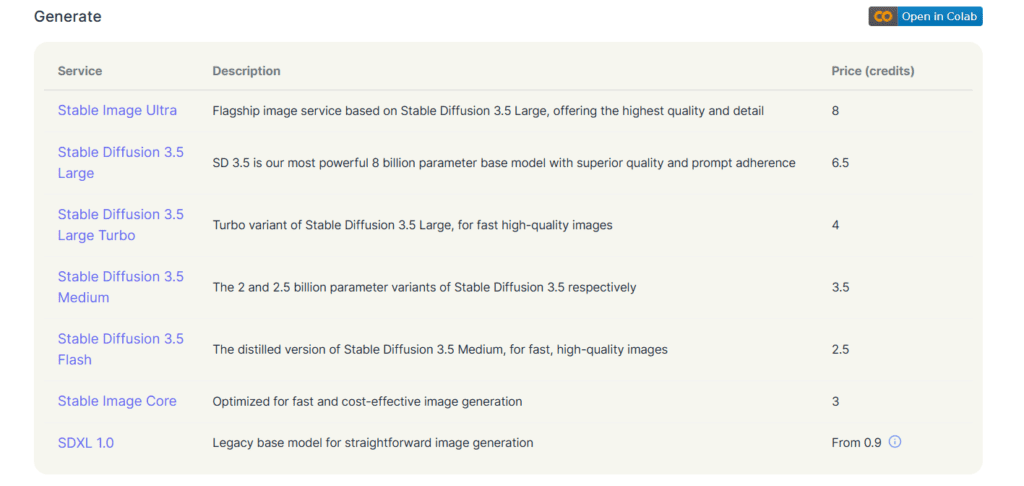
This is where it gets interesting. The model itself? Free. But here’s the catch: if you run it yourself, you’re paying for GPU power. That could mean buying hardware or renting cloud servers. If you use a hosted service, you’re usually paying per image or buying credits.
For experimenting, it’s cheap. For serious volume, you’ll want to do the math first.
What People Actually Use It For
I’ve seen Stable Diffusion pop up everywhere lately. Concept art for games, marketing visuals, social media content, design mockups, background images—you name it. The common thread? People who need creative flexibility more than they need something foolproof.
It shines when you want to iterate fast and customize everything. It struggles when you need perfection on the first try.
What Else Is Out There
There are definitely easier options—premium platforms that’ll give you cleaner results with less effort. They’re more expensive and you can’t tinker under the hood, but sometimes that’s exactly what you need. It really depends on what you’re trying to accomplish.
My Honest Take
Stable Diffusion isn’t the easiest tool I’ve used, but it might be the most powerful for its price point. If you value control, want to customize everything, and don’t mind investing time upfront, it’s genuinely impressive. If you’re looking for a “press button, get perfect image” solution, you’ll probably end up frustrated.
Think of it less like a magic wand and more like a creative partner that needs training. The more you work with it, the better your results get. That’s not for everyone, and that’s fine.
But if you’re the type who enjoys learning new tools and experimenting until you nail it? You might just fall in love with this thing.