
Let me start with a confession: I spent three months complaining about GPU cloud pricing before I actually tried RunPod. I was the person in every Discord server grumbling about Colab limits, AWS spot interruptions, and the general indignity of paying for compute that disappears mid-training run. Then a friend told me to stop talking and just try it.
So I did. And now, several weeks and a surprisingly reasonable cloud bill later, I’m writing this blog because I think RunPod deserves a proper, no-hype breakdown — the kind I wish I’d found when I was searching for alternatives.
So What Exactly Is RunPod?
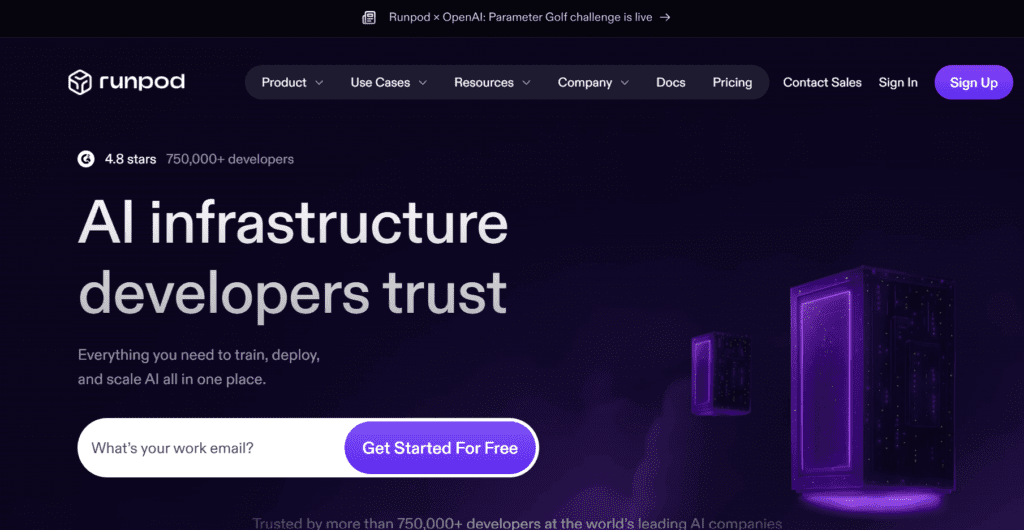
RunPod is a cloud GPU platform built for machine learning workloads. At its core, it lets you rent access to powerful graphics cards — everything from RTX 3080s to H100s — by the hour, minute, or even second, without signing enterprise contracts or navigating the nightmare that is AWS IAM.
What makes RunPod a bit different from the big cloud providers is its two-tier GPU marketplace. You’ve got Secure Cloud — traditional data centre hardware with strong uptime guarantees — and Community Cloud, where independent operators rent out their own machines. The community option is cheaper. Sometimes significantly cheaper. And that price difference is where things get interesting.
Beyond plain GPU rental (which they call Pods), RunPod also offers a Serverless GPU product — essentially auto-scaling inference infrastructure where you pay only for active compute time. Think of it as the Lambda functions of the GPU world.
Getting Started: Faster Than You’d Think
The first thing that surprised me was the onboarding speed. I created an account, added $20 in credits, and had a live Jupyter environment running on an RTX 4090 in under two minutes. Not two minutes after navigating seventeen IAM policy screens — two minutes, total.
RunPod uses the concept of templates to get you running fast. Pre-configured Docker images for PyTorch, TensorFlow, Stable Diffusion, ComfyUI, Jupyter, and dozens more are just a click away. You pick your GPU, your template, configure your storage volume, and you’re in. SSH access, Jupyter tunnelling, and a web terminal are all available out of the box.
For people who’ve spent hours debugging CUDA incompatibilities at midnight, this kind of “it just works” experience is genuinely refreshing. The templates handle the driver stack. Your job is just to write code.
Pricing: The Part Everyone Actually Cares About
Let’s talk money. RunPod’s pricing is one of its strongest selling points, especially on the community cloud side. An RTX 3090 can be had for around $0.20–0.30 per hour. An A100 80GB typically runs in the $1.50–2.00/hr range. Even H100 access is available at prices that undercut the hyperscalers noticeably.
For context: during my testing month, I ran a variety of workloads — fine-tuning a small language model, running Stable Diffusion batches, and testing a serverless inference endpoint. My total bill came to just under $40. I had previously been spending over $50/month on Colab Pro+ and hitting usage caps regularly.
A few things to know about the pricing structure:
• Storage costs money even when your pod is stopped. Network volumes persist between sessions, which is great — but they accrue charges. Delete volumes you don’t need.
• Community cloud is cheaper but less reliable. If uptime is critical, pay a bit more for secure cloud.
• Serverless billing is per-second. Genuinely useful for inference endpoints with variable load.
The Serverless Feature Is a Hidden Gem
I’ll be honest: I almost skipped the serverless offering entirely. It felt like a feature for serious production teams, not hobbyist tinkerers. I was wrong.
RunPod Serverless lets you package your model in a Docker container, define a handler function, deploy it, and get an API endpoint back. Workers spin up when requests arrive and scale back to zero when idle. You pay only for the seconds the GPU is actually doing work.
I deployed a small image captioning model as a test. Cold starts were around 8–12 seconds — noticeable but acceptable for non-latency-critical use. Once a worker was warm, responses came back in well under two seconds. For a hobby API that I didn’t want to pay $0.50/hr to keep alive 24/7, this was the right solution.
The use case that makes the most sense here is low-to-medium traffic inference — personal projects, internal tools, side businesses where bursty request patterns make dedicated instances wasteful.
What RunPod Gets Right
• Speed of deployment. From account creation to running code is genuinely fast. No long provisioning waits, no complex networking setup.
• GPU variety. The selection is wide — consumer RTX cards for budget work, A100s and H100s when you need serious power.
• Community ecosystem. The template library is genuinely useful. Stable Diffusion, Whisper, LLaMA, ComfyUI — most things you’d want to run have a pre-built environment.
• Transparent billing. The pricing dashboard is clear and you can set spending limits. No surprise bills.
• Active development. The platform ships updates frequently. Issues I noticed in week one were addressed by week three.
Where RunPod Still Has Room to Grow
No honest review skips the rough edges. RunPod has a few.
Community cloud reliability is inconsistent. I had two pods on community hardware go unresponsive during my testing period. No crash, no error — just silent disconnection. RunPod support credited my account both times, but if you’re running something time-sensitive, checkpoint obsessively or upgrade to secure cloud.
Documentation has gaps. Standard use cases are well-covered. Anything slightly advanced — custom serverless handlers, specific environment variable configurations, network volume edge cases — may require you to piece things together from GitHub issues and YouTube videos. It’s improving, but slowly.
No free tier. You need to put down real money to start. For beginners coming from Colab’s free option or Kaggle’s free kernels, that’s a friction point. A limited free trial tier would go a long way.
Cold starts on serverless. The 8–12 second cold start time is fine for most use cases but disqualifies RunPod serverless for latency-sensitive applications where sub-second response is expected.
Who Should Actually Use RunPod?
After a month of real use, here’s my honest answer:
RunPod is a strong fit for: ML researchers and students running training experiments, developers building AI-powered side projects and APIs, creative technologists working with image generation and media models, and small teams that need flexible GPU access without cloud commitments.
It’s probably not ideal for: enterprise production workloads requiring strict SLAs, teams already deeply embedded in AWS/GCP/Azure ecosystems, or applications needing sub-second cold-start serverless inference.
Final Verdict
RunPod isn’t perfect. But it’s genuinely good, and it’s getting better. The price-to-performance ratio is hard to argue with, the developer experience is miles ahead of the major cloud providers for ML use cases specifically, and the serverless offering is a legitimately clever solution for variable inference workloads.
If you’re currently paying Colab Pro prices and hitting limits, or burning credits on AWS spot instances that evaporate mid-run, it’s worth spending an afternoon testing RunPod with a $10 credit top-up. The worst case is you confirm it’s not right for you. The best case is you find a GPU cloud that actually fits how you work.