
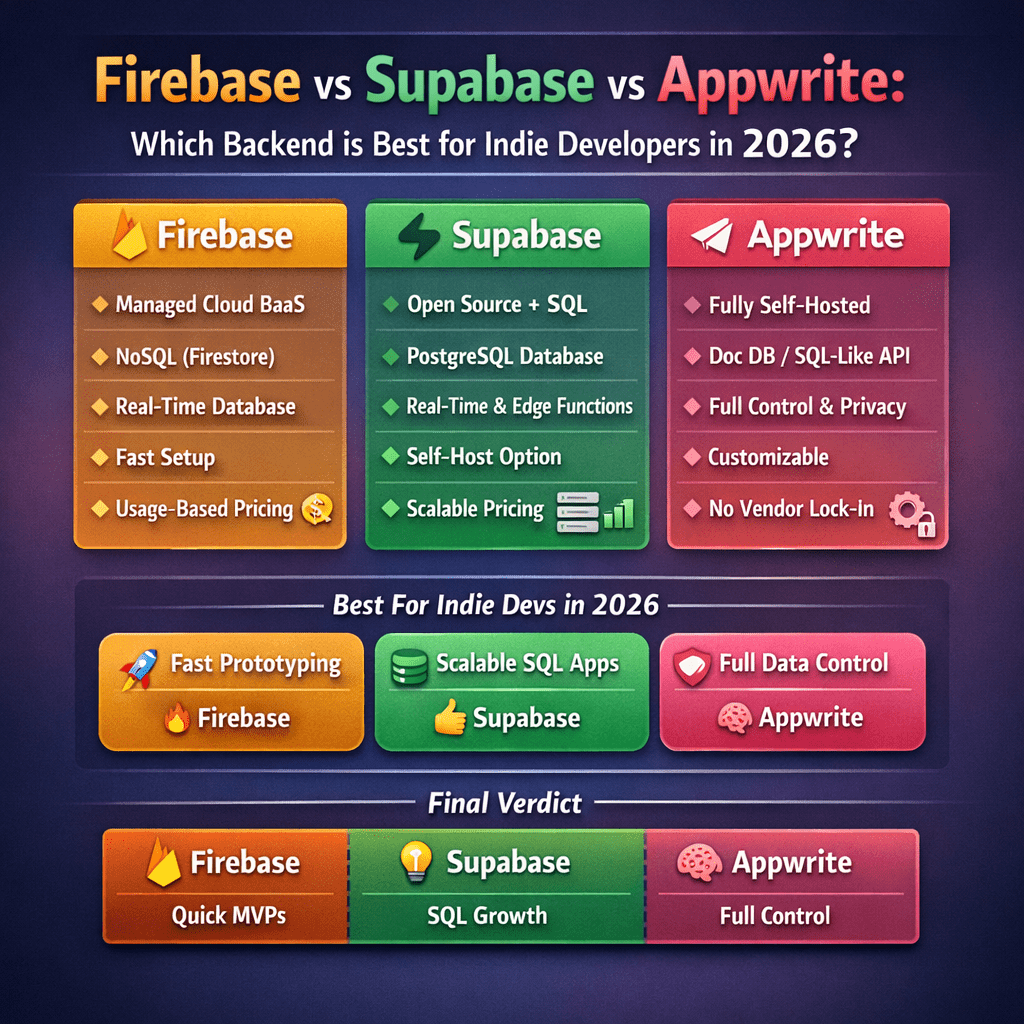
Firebase vs Supabase vs Appwrite: Which Backend Is Best for Indie Developers in 2026?
Choosing a backend as an indie developer feels like picking a co-founder. You’re committing to a platform that will either accelerate your progress or become a constant source of frustration. Make the right choice, and you’ll ship features faster than you thought possible. Make the wrong one, and you’ll spend weeks wrestling with limitations instead of building your product.
Firebase, Supabase, and Appwrite have emerged as the top contenders for indie developers who want to move fast without managing servers. Each has passionate advocates and real strengths. But they’re fundamentally different tools built on different philosophies, and understanding those differences matters more than comparing feature checklists.
Let me break down what you actually need to know to make this decision in 2026.
The Philosophical Divide
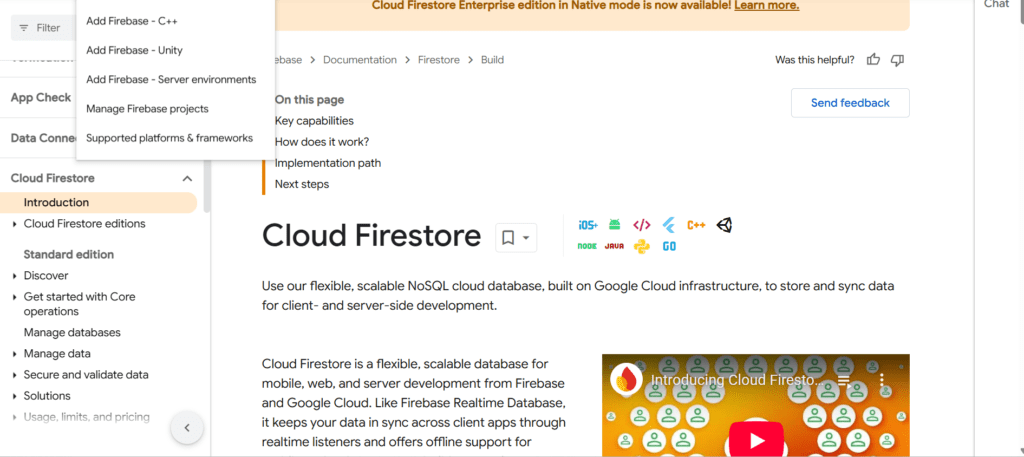
Firebase wants to hide the database from you. Google built it around the idea that developers shouldn’t think about SQL queries or database schemas. You store JSON documents, subscribe to real-time updates, and let Firebase handle the rest. It’s opinionated and prescriptive, which can be either liberating or limiting depending on your perspective.
https://firebase.google.com/docs/firestore
Supabase takes the opposite approach. It’s PostgreSQL with superpowers. You get a real relational database, full SQL access, and powerful tools built on top. Supabase bets that developers are smart enough to handle databases and shouldn’t be restricted by abstractions that hide what’s really happening.
Appwrite sits somewhere in between. It’s self-hosted first, which means you own your infrastructure. It provides backend services like authentication and storage, but gives you more control over where and how everything runs. For developers who want the convenience of a backend-as-a-service without vendor lock-in, that’s compelling.
Getting Started: The First Hour Experience
Firebase gets you up and running in minutes. Create a project in the console, add the SDK to your app, and you’re writing data to the cloud. No server configuration, no database setup, no deployment pipelines. For a weekend project or MVP, this speed is hard to beat.
The catch hits you later. Firebase’s simplicity comes from hiding complexity, and eventually you need to peek behind the curtain. When you do, you’ll find yourself learning Firebase’s specific way of doing things rather than transferable skills like SQL.
Supabase requires a bit more setup but teaches you patterns you’ll use everywhere. You create tables using SQL or their visual editor, set up relationships, and write queries. If you know PostgreSQL, you already know Supabase. If you don’t, learning Supabase means learning PostgreSQL, which is valuable beyond this one project.
Appwrite’s initial setup depends on whether you’re using their cloud offering or self-hosting. The cloud version is straightforward. Self-hosting means running Docker containers, which adds complexity but gives you complete control. For indie developers just starting out, the cloud option makes more sense. Save self-hosting for when you have a reason to need it.
Real-Time Everything or Real-Time When Needed
Firebase built its reputation on real-time updates. Changes to your database instantly sync to all connected clients. For chat apps, collaborative tools, or anything where users need to see updates immediately, this feels like magic. The client libraries handle all the complexity of websockets and reconnection logic.
But here’s what they don’t tell you: real-time everywhere gets expensive fast and adds complexity you might not need. Every client maintaining an open connection to your database has cost implications. Every real-time query requires careful security rules. For many apps, polling every few seconds or refreshing on user action works perfectly fine and costs way less.
Supabase offers real-time subscriptions too, but positions them as a feature you opt into rather than the default. You set up real-time on specific tables or queries where you actually need it. This gives you the flexibility to use real-time judiciously, which is often the smarter architecture choice.
Appwrite takes a similar approach to Supabase. Real-time is available through websockets, but you implement it where it makes sense rather than having it baked into everything. For most indie projects, this selective approach keeps things simpler and more cost-effective.
The Data Layer: Where Things Get Real
Firebase’s Firestore uses a NoSQL document model. You organize data into collections and documents, denormalize everything, and avoid joins. This works great for simple data structures. But as your app grows, you’ll find yourself duplicating data everywhere and writing complex client-side code to stitch together information that would be a simple JOIN in SQL.
Need to query across multiple fields? Hope you set up composite indexes ahead of time. Want to aggregate data? You’ll be doing that in your application code or using Cloud Functions. The flexibility you gave up for simplicity starts feeling like a real constraint.
Supabase gives you PostgreSQL, which means you get proper relational data modeling, foreign keys, transactions, views, and everything else that comes with a mature database system. You can write complex queries, use window functions, and leverage decades of database optimization. This matters more as your product grows.
The learning curve is steeper if you’re not comfortable with SQL, but you’re learning skills that transfer. Understanding how to model data relationally and write efficient queries will serve you in every project, not just this one.
Appwrite uses a document-based model similar to Firebase but with more flexibility. You get better querying capabilities than Firestore without the complexity of SQL. For many indie developers, this sweet spot works well. You’re not learning Firebase-specific patterns, but you’re also not writing JOIN queries.
Authentication: The Feature Everyone Needs
All three platforms handle authentication well, which is great because building auth from scratch is a miserable experience you should avoid.
Firebase Authentication supports all the major providers—Google, GitHub, email/password, phone numbers, anonymous auth. The integration is smooth, the documentation is solid, and it just works. Firebase has years of production use behind it, and it shows in the polish.
Supabase Auth is built on open-source libraries and supports the same providers. The difference is you own the user data in your PostgreSQL database. You can query users like any other table, add custom fields, and integrate auth with the rest of your data model seamlessly. This flexibility matters when you need to build features around user data.
Appwrite’s authentication is comprehensive and well-designed. The security is solid, the API is clean, and you get features like account recovery and email verification out of the box. Like Supabase, you maintain control over your user data, which becomes important as your product matures.
Comparison Table
| Feature | Firebase | Supabase | Appwrite |
|---|---|---|---|
| Database Type | NoSQL (Firestore) | PostgreSQL (Relational) | NoSQL (Document-based) |
| Real-time Updates | Built-in, default everywhere | Available, opt-in per table | Available via WebSockets |
| SQL Support | No | Full PostgreSQL SQL | No (uses queries API) |
| Authentication | Comprehensive, all major providers | All major providers + Row Level Security | All major providers + teams |
| File Storage | Firebase Storage | S3-compatible storage | Built-in storage with preview |
| Serverless Functions | Cloud Functions (Node.js) | Edge Functions (Deno) | Cloud Functions (multiple runtimes) |
| Self-Hosting | Not possible | Not officially (only OSS components) | Full self-hosting support |
| Open Source | Closed source | Open source (PostgreSQL stack) | Fully open source |
| Free Tier | 1GB storage, 10GB transfer, 50K reads/day | 500MB DB, 1GB storage, 50K MAU | 75K MAU, 2GB storage, 10GB bandwidth |
| Paid Plans Start At | Pay-as-you-go (~$25/month realistic) | $25/month (Pro tier) | $15/month (Pro tier) |
| Pricing Model | Per operation + bandwidth | Fixed tiers based on resources | Fixed tiers + usage-based |
| Learning Curve | Low (but Firebase-specific) | Medium (requires SQL knowledge) | Low to Medium |
| Vendor Lock-in | High (proprietary formats) | Low (standard PostgreSQL) | Very Low (self-hostable) |
| Data Export | Complex, format conversion needed | Standard PostgreSQL dump | Standard export tools |
| Offline Support | Excellent (built-in) | Limited (via client cache) | Limited (manual implementation) |
| Querying Complexity | Limited (simple queries only) | Advanced (full SQL support) | Medium (query builder API) |
| Joins/Relations | Manual in client code | Native database JOINs | Manual or referenced queries |
| Triggers/Functions | Cloud Functions only | Database triggers + functions | Server-side functions |
| Scaling | Automatic (Google infrastructure) | Automatic (dedicated instances) | Manual (self-hosted) / Auto (cloud) |
| GraphQL Support | Via third-party only | Built-in via pg_graphql | Via third-party |
| REST API | Limited | Auto-generated from schema | Auto-generated endpoints |
| Admin Dashboard | Web console (Google Cloud) | Web dashboard + SQL editor | Web console + CLI |
| Edge Deployment | Global by default | Global edge functions | Depends on hosting |
| Multi-tenancy | Manual implementation | Row Level Security (RLS) | Teams and permissions API |
| Backups | Automatic daily | Automatic (paid plans) | Manual or scheduled |
| Migration Tools | Limited | Standard PostgreSQL tools | Import/export APIs |
| Community Size | Very large | Growing rapidly | Smaller but active |
| Documentation | Extensive, mature | Comprehensive, improving | Good, community-driven |
| Time to First Deploy | 5-10 minutes | 10-20 minutes | 15-30 minutes (cloud) |
| Best For | Rapid prototyping, real-time apps | Complex data models, long-term projects | Full control, self-hosting needs |
| Mobile SDK | Excellent (iOS, Android) | Good (via client libraries) | Good (official SDKs) |
| TypeScript Support | Official SDK | Excellent (auto-generated types) | Official SDK |
| Data Portability | Difficult | Easy (standard SQL) | Easy (standard formats) |
| Compliance/Security | SOC 2, ISO 27001 | SOC 2, HIPAA (Enterprise) | Self-managed or Cloud SOC 2 |
This table highlights the key differences to help you make an informed decision based on your specific needs as an indie developer.
Pricing: Where Indie Budgets Meet Reality
Firebase’s free tier is generous for small projects. You get enough to build and test without spending anything. But once you start scaling, costs can surprise you. Real-time database reads, cloud function invocations, and bandwidth all add up. Firebase bills per operation, which means a suddenly popular feature can trigger an unexpectedly large bill.
The pricing model also makes it hard to predict costs accurately. You’re optimizing for Firebase-specific metrics rather than traditional infrastructure costs. Some developers love the pay-as-you-go model. Others find it anxiety-inducing.
Supabase offers a generous free tier that includes 500MB database space, 1GB file storage, and 50,000 monthly active users. The paid tiers are straightforward and predictable. You’re essentially paying for compute resources and storage, which is easier to reason about than per-operation pricing. For indie developers who want to know their monthly costs ahead of time, this predictability is valuable.
Appwrite’s cloud offering has competitive pricing with a free tier suitable for side projects. The self-hosted option means you pay for infrastructure directly—a DigitalOcean droplet or AWS instance—giving you complete cost control. Once your app reaches a certain scale, self-hosting can be significantly cheaper than any managed service.
Vendor Lock-In: The Question Nobody Asks Until It’s Too Late
Firebase locks you in hard. Your data is in Firestore’s proprietary format, your auth is tied to Firebase Auth, and your functions run on Google Cloud. Migrating away requires rewriting significant portions of your application. Google has a history of deprecating products, and while Firebase seems safe, that dependency should factor into your decision.
Supabase is built entirely on open-source technologies. PostgreSQL, PostgREST, and GoTrue can all run anywhere. If you ever need to leave Supabase, you export your PostgreSQL database and redeploy the open-source components. The data portability alone makes this attractive for long-term projects.
Appwrite is open source, which means you can always self-host if their cloud offering disappears or becomes too expensive. You’re not locked into their infrastructure. For indie developers thinking long-term, this escape hatch provides real peace of mind.
Making Your Decision
Choose Firebase if you need to ship something immediately and don’t want to think about databases. If you’re building a real-time app like a chat platform or collaborative tool, and you’re comfortable with NoSQL, Firebase’s optimizations for real-time updates might justify the trade-offs.
Choose Supabase if you value control, want to learn transferable database skills, and appreciate working with SQL. If your data model has relationships and you want to query it flexibly, PostgreSQL’s power will serve you well. The open-source foundation and data portability make it a solid long-term bet.
Choose Appwrite if you want a middle ground or if eventual self-hosting is important to you. It’s particularly good if you want backend services without learning SQL but don’t want Firebase’s limitations. The self-hosting option provides flexibility that neither Firebase nor Supabase’s cloud offerings can match.
For most indie developers in 2026, I’d lean toward Supabase. The combination of a real database, straightforward pricing, and open-source portability gives you room to grow without painting yourself into a corner. You might spend an extra day learning SQL, but you’ll save weeks down the road when you need to implement features that would be painful in a NoSQL system.
But here’s the truth: all three are solid choices that will get your product built. The best backend is the one you’ll actually use to ship something people want. Pick one, commit to it, and start building. You can always migrate later if you really need to.